What Are Passkeys?

You have used a password to log into accounts for years. You probably have dozens of them to remember. Some are shared. Some are reused. Some are far too short.
Passkeys are changing all of that.
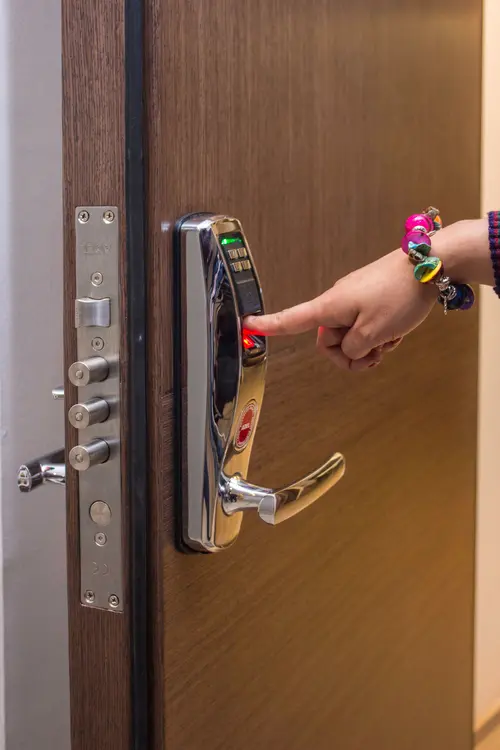
A passkey is a modern way to sign in without using a password at all. Instead of typing a secret string of characters, you use your fingerprint, your face, or a PIN on your own device to confirm who you are.
How a Password Works (and Why It Fails)
When you create a password, you send it to the service you are signing up to. The service stores it — hopefully in an encrypted form — and checks it every time you log in.
That means a secret exists in two places: your memory and the company’s servers. If attackers break into those servers, they can steal millions of passwords at once. If you use the same password elsewhere, one breach compromises every account you own.
Passwords can also be phished. A convincing fake login page can trick you into typing your password. Once you do, the attacker has it.
How a Passkey Works
A passkey uses a different approach called public-key cryptography.
When you set up a passkey on a service, your device creates two linked keys: a private key and a public key.
- The private key stays on your device. It never leaves it. It is protected by your biometrics or PIN.
- The public key is sent to the service you are signing up to. It is safe to share.
When you log in, the service sends a challenge to your device. Your device signs it with the private key and sends the result back. The service verifies it using the public key.
Because the private key never leaves your device, there is nothing for an attacker to steal from a server. And because each login uses a cryptographic challenge, there is nothing for a phisher to capture.
Why Passkeys Are More Secure
No Passwords to Steal
The biggest weakness of passwords is that they exist as shared secrets. Passkeys remove that problem entirely. There is no database of passwords for hackers to breach, because the private key never leaves your device.
Phishing-Resistant
With a password, a fake website can trick you into typing your credentials. With a passkey, the cryptographic challenge is tied to the specific service. A passkey created for your bank will not work on a fake copy of the bank’s website.
Unique for Every Site
Every passkey is unique to the service it is created for. There is no such thing as “reusing the same passkey across multiple sites.”
What It Feels Like for Users
Using a passkey is genuinely easier than a password.
When you want to log in, you see a prompt asking you to verify your identity. You press a fingerprint sensor, look at your phone’s camera, or enter a quick PIN. Within a second, you are in.
No remembering complex passwords. No resetting forgotten ones. No typing carefully into a password field.
Many people already use passkeys without realising it. If you have ever unlocked your phone to log into an app, or approved a login with Face ID, you have experienced passkey technology.
Who Supports Passkeys
Passkeys are backed by all the major technology companies.
- Apple supports passkeys across iPhone, iPad, and Mac.
- Google offers passkeys for Google accounts on Android and Chrome.
- Microsoft supports passkeys across Windows and Microsoft accounts.
Major services including Amazon, PayPal, WhatsApp, and many banks now offer passkey sign-in. Adoption is accelerating, and most experts expect passkeys to become the default way to log in within the next few years.
What This Means for Your Business
If you run a hotel, restaurant, or café, you might wonder whether passkeys matter to you. Here is why they do.
Your Staff
Every member of your team likely uses passwords for staff scheduling software, payroll portals, and email. Weak or reused passwords are a leading cause of data breaches. Passkeys remove that risk entirely.
Your Customers
If you offer online booking or a loyalty programme, your customers log into accounts too. Passkeys make that process faster and more secure — a small improvement that builds trust.
Your Own Accounts
Your business’s email, bank, and booking system accounts are valuable targets for attackers. Enabling passkeys where available adds a serious layer of protection.
How to Get Started
Passkeys are surprisingly simple to adopt.
If a service offers passkey sign-in, the setup is usually a single prompt: “Use your fingerprint or face to sign in?” Confirm it, and you are done. The service will walk you through the rest.
For businesses, consider enabling passkeys on the accounts your staff rely on most. Start with those that hold sensitive data — payment systems, scheduling, and payroll.
The Bottom Line
Passwords have served us for decades, but they are full of weaknesses. They can be stolen, phished, reused, and forgotten.
Passkeys solve all of these problems at once. They are more secure, easier to use, and already supported by the biggest names in technology.
The password is not dead yet. But passkeys are the future. In our next article, we will look at another powerful tool for protecting your accounts: two-factor authentication.